
User accounts that have a status of "Inactive" or "Unverified" can be deleted.
Searching Unverified and Inactive Users
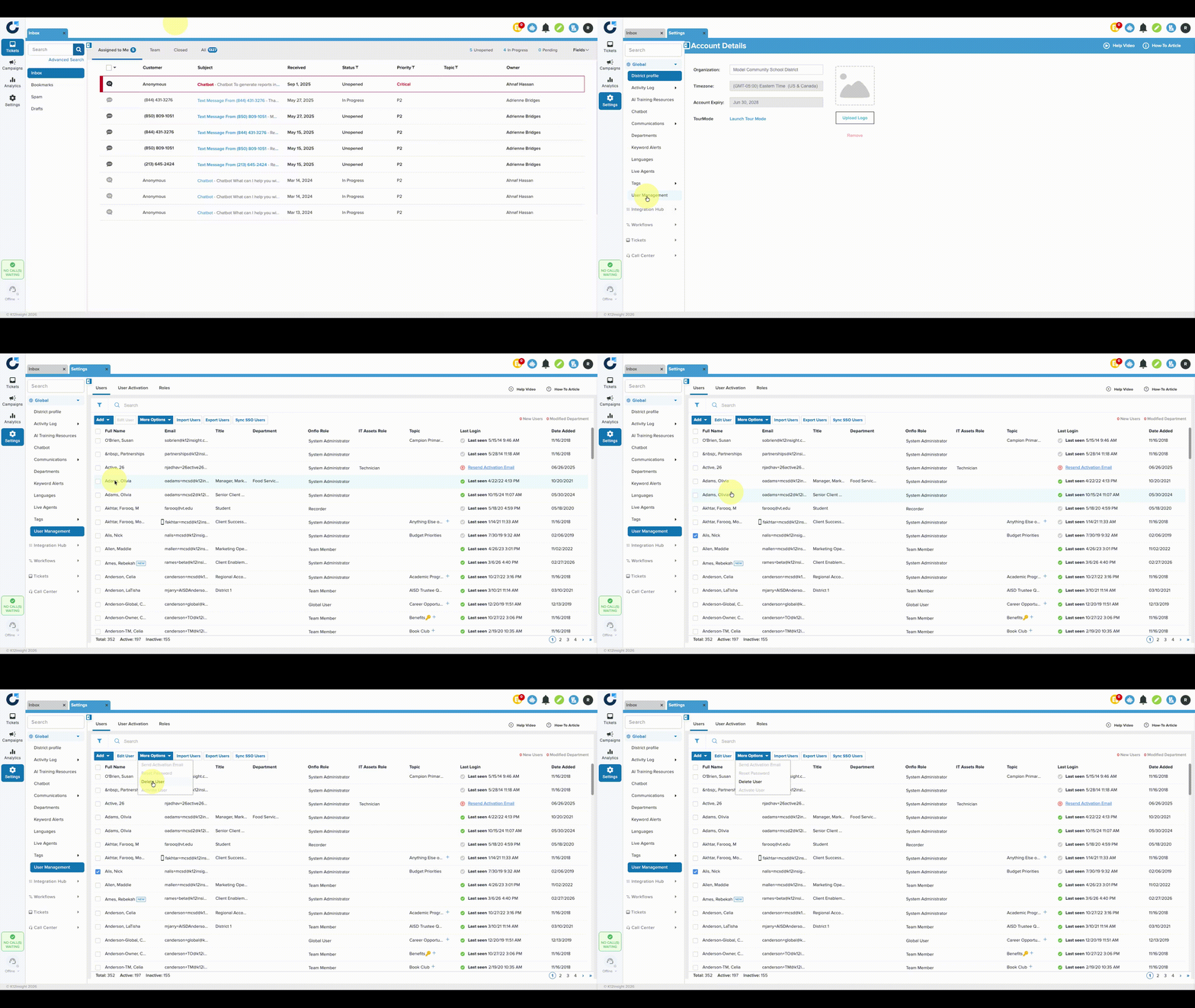
- From the Settings page, click on User Management.
- Click the Filter icon in the top left corner.
- Click the dropdown arrow by Status > then check the boxes for Unverified and/or Inactive.
- Click Apply Filter at the bottom.
The filter will show only users who are either inactive or unverified, as designated by the red exclamation mark or gray check mark in the Last Login column.

Deleting Unverified and Inactive Users
- Check the box next to the user's name then click More Options then Delete User.
- Because the action cannot be undone, users will be asked to confirm before the user is deleted.
Note: System Administrators can delete a user whether they own tickets or not. Once the user is deleted, ownership of their tickets will be transferred to the System Administrator who deleted the user.