
Single Sign-On for Onflo

More results...

Generic selectors
Exact matches only
Search in title
Search in content
Post Type Selectors

Has your district integrated Onflo (formerly Let’s Talk) with their Single Sign-On system? If so, then make sure to keep these tips in mind when you download the Onflo - Admin app to respond to tickets on the go!

  • First, ensure that you’ve downloaded the Onflo - Admin app for users, rather than the Onflo app for stakeholders to submit tickets.
    • Your Onflo - Admin app icon should match the one displayed here.
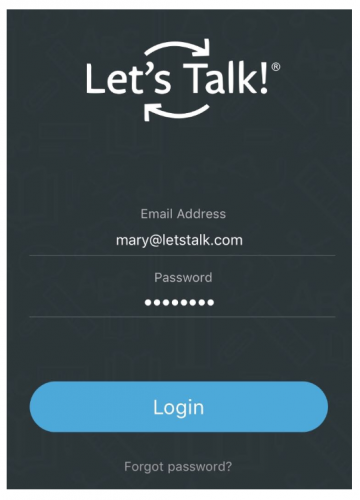
  • Once downloaded, the app will prompt you for your login credentials. Instead of entering your SSO credentials, click the Forgot Password? link at the bottom of the login form.
    • Because your SSO credentials are external to Onflo, it is necessary to create a unique password for the app only.
  • Once the Reset Password email arrives in your inbox, follow the steps to set a new password that you will remember. This password will be used for the app ONLY. When logging into Onflo on the web, you will still use your SSO credentials.
  • Now you may log into the Onflo - Admin app, using your district email address (e.g. mary@letstalk.com) and the new password that you just created!
Related Post

Setting Up a Custom SAML for SSO

Overview Enable Single Sign-On with any SAML 2.0-compliant identity provider. This integration allows your staff and students to securely authenticate to Onflo using existing organizational credentials, reducing password fatigue and improving security posture. Features SAML 2.0 compliant authentication Attribute mapping

Read More ➜

Setting Up a Custom LDAP

Overview Connect to any LDAP-compatible directory service including Microsoft Active Directory, OpenLDAP, or other enterprise directories for user authentication and provisioning. Features LDAP authentication for secure user login Automated directory sync for user provisioning and updates Group membership mapping to

Read More ➜

Setting Up Microsoft Azure for SSO

About this integration Integrate Microsoft Azure Active Directory (Entra ID) to provide secure Single Sign-On and automated directory synchronization. Your district's Microsoft 365 users can access Onflo with their existing credentials while user data remains synchronized automatically. Features Single Sign-On

Read More ➜