
Did you know almost seven out of 10 Onflo (formerly Let's Talk!) tickets are closed with a single reply to the customer? With this in mind, we created a feature that makes it easy for team members to manage tickets which are straightforward and only require a quick and thoughtful reply.
Meet Email Replies — a convenient way to reply to Onflo tickets directly from your email inbox.
To get started, look for the ##Reply to email to respond to the customer## at the top of your Onflo email notifications.
Next, click Reply and type your response to the customer. When ready, click Send.
The customer receives the response and the associated ticket's timeline will note that it was sent via email. Note that if you've previously adjusted or disabled your notifications, you can make adjustments or reset to the default settings. Check out this article for more information.
Settings
By default, all Topic Owners and Topic Members will be able to reply to ticket notifications, changing the ticket status to Closed and sending the feedback form to the customer. System Administrators may adjust these default settings to update who can use the feature and the status of tickets.
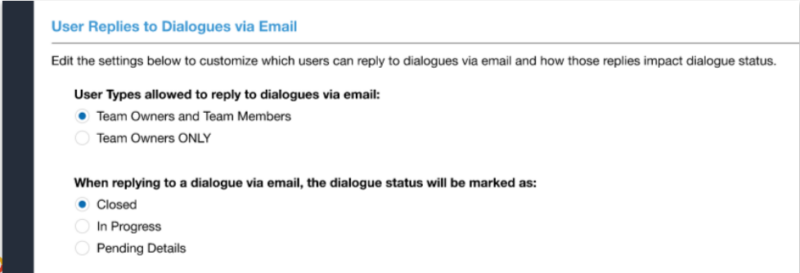
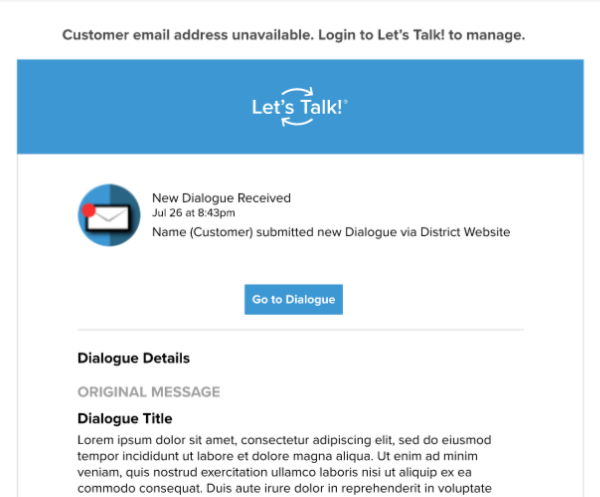
If the customer does not provide an email address when submitting their ticket, users will not be able to reply to the ticket via email. This will be noted at the top of the email notification.
Notifications
When a user replies to a ticket via their email client, notifications will be sent immediately to other team members on the ticket to alert them as well.