
How to Create Custom Topics

More results...

Generic selectors
Exact matches only
Search in title
Search in content
Post Type Selectors

Do you need to create a Custom Topic for your Landing Page? Now System Admins can do so from the Landing Page/Tab Editor within Settings. 

After selecting a Landing Page where the Custom Topic will live, click on the “Add Custom Button” option. 
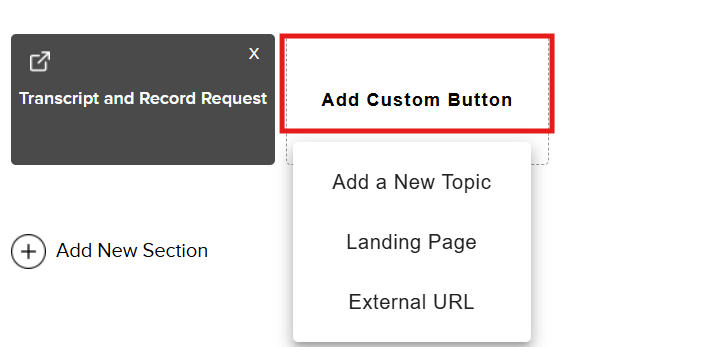
You will see the following custom options:


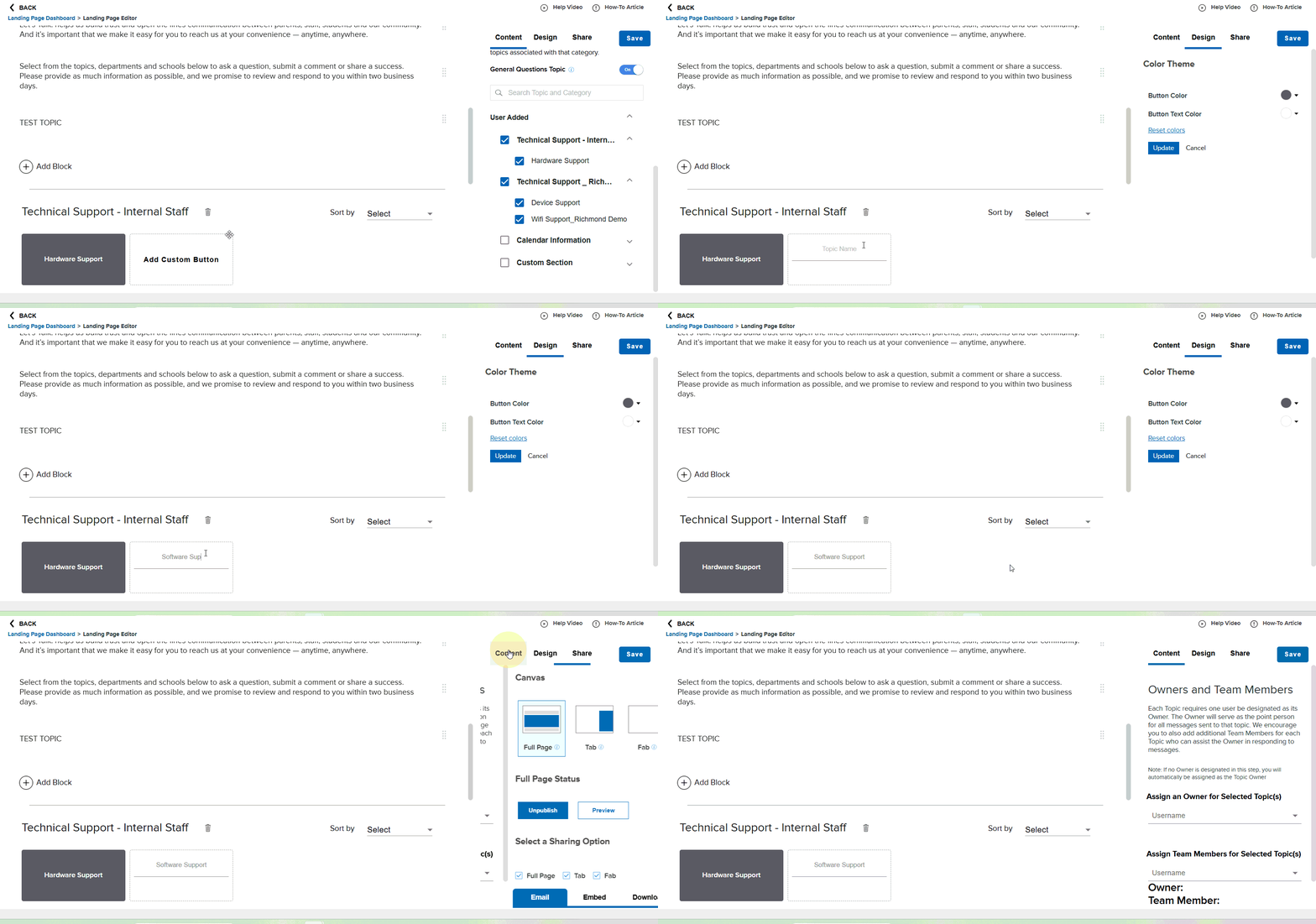
Add a New Topic: Create a Custom Topic name, edit button theme colors, and assign Owners and Team Members directly from this page (Please note: If no Owner is designated in this step, you will automatically be assigned as the Topic Owner). 


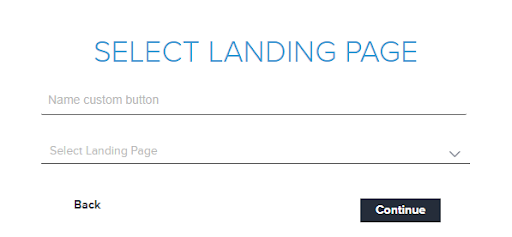
Landing Page: Name your custom button and select the Landing Page
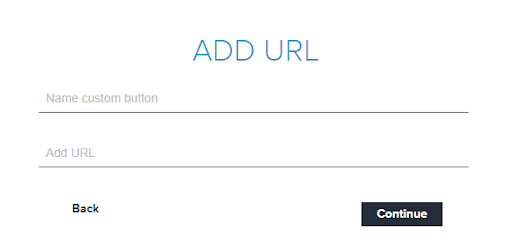
External URL: Name your custom button the link an External URL for customers to quickly access
Whichever option you choose, don’t forget to save your work at the end. 

Related Post

Topic Comparison Reports

You can audit your topics with the Topics Comparison Report to determine which topics are being used most frequently, and which topics are receiving few to no tickets.  From Analytics, click Comparison, then Topics.  The graph on the report shows

Read More ➜

Setting Up a Custom SAML for SSO

Overview Enable Single Sign-On with any SAML 2.0-compliant identity provider. This integration allows your staff and students to securely authenticate to Onflo using existing organizational credentials, reducing password fatigue and improving security posture. Features SAML 2.0 compliant authentication Attribute mapping

Read More ➜