New platforms take time to become habits. Checking Onflo daily surfaces issues before they escalate, equips leaders with real-time insights, and turns service data into strategic advantage. Make Onflo part of your team's daily rhythm with these proven, role-specific routines. Five minute habits that reveal pain points, prevent escalations, and drive accountability.
5-Minute Habits for High-Impact Leadership
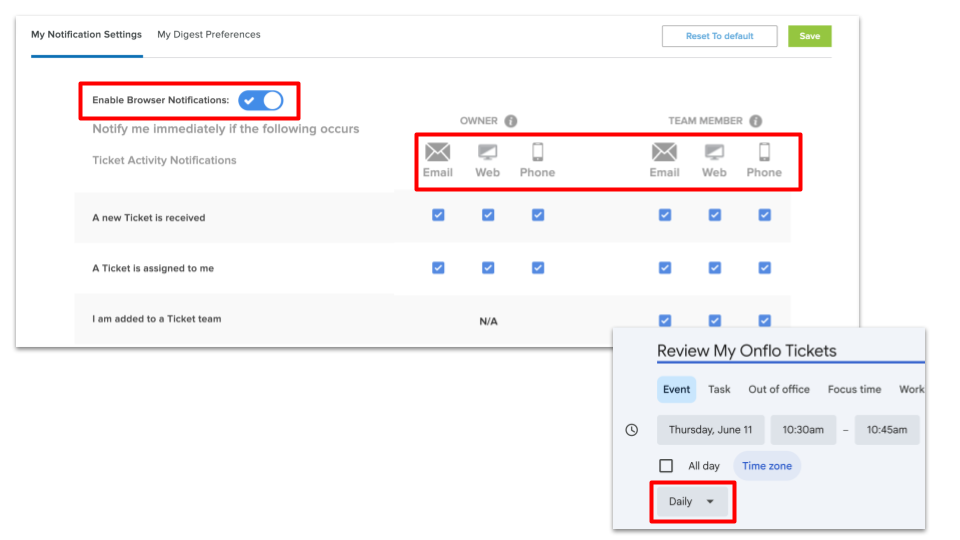
Set Alerts
Enable browser tabs, mobile push notifications, or calendar reminders to review tickets and trends in Onflo daily.
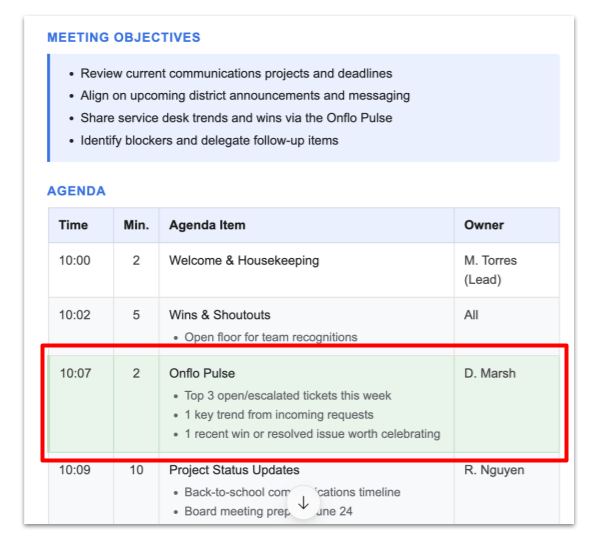
Huddle Integration
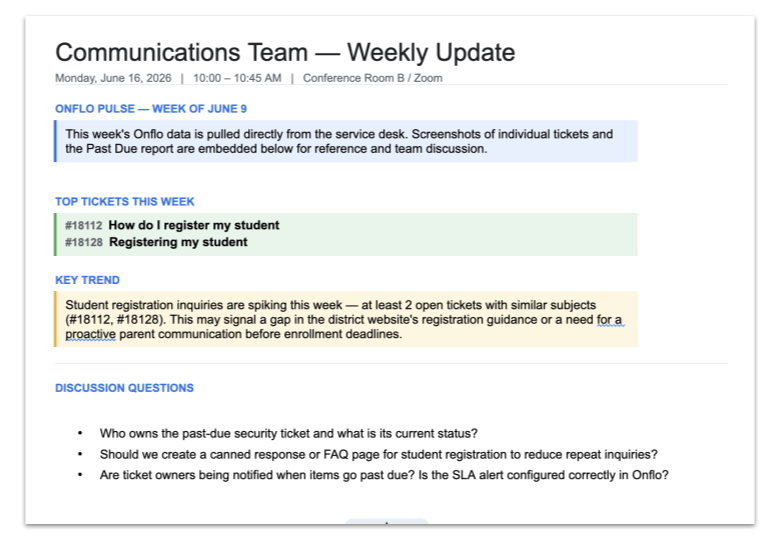
Add Onflo Pulse Check as a 2-minute agenda item to team meetings, and have department leaders share their top 3 tickets, 1 key trend, and 1 recent win.
Include Onflo reports and screenshots in meeting discussions and weekly updates for transparency and actionable insights.
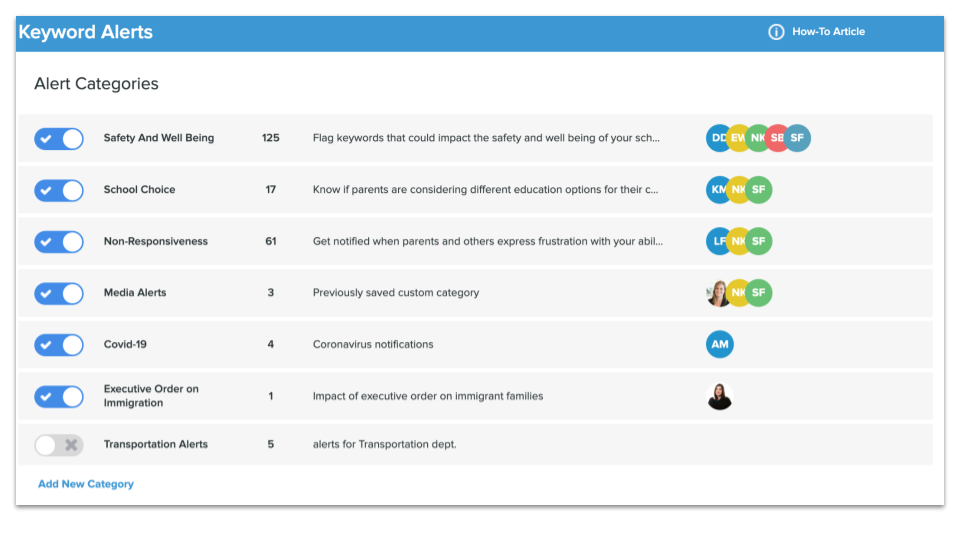
Escalation Guardrails
Turn Keywork Alerts on to auto-flag sensitive issues (bullying, safety threats, Title IX, etc.) for immediate leadership review and response.
Celebrate Closes
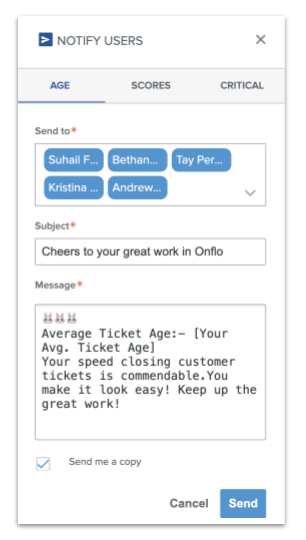
Utilize the Notify Users feature in the Comparison Dashboard each week to send kudos and reminder emails to staff. Send emails based on ticket age, scores, or critical status.
Gamify Wins
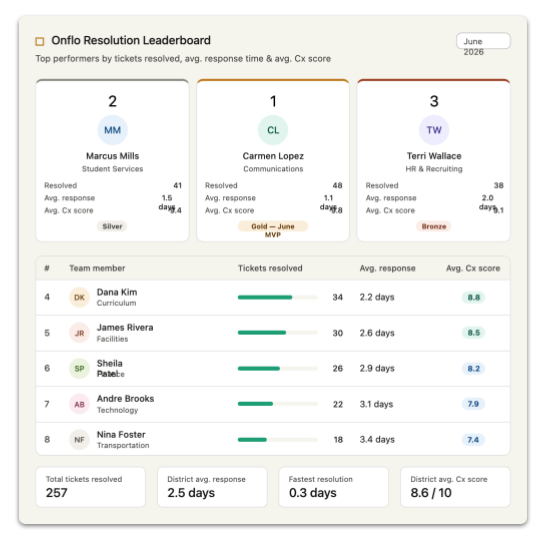
Use the Onflo Leaderboard template to create a leaderboard for fastest ticket resolutions. Celebrate top performers with recognition and small rewards like coffee gift cards.
Get Ready for Back to School: Your Onflo End of Year Checklist The stretch between the end of the school year and the first day back is one of the best opportunities you have to set your team up for
Creating positive customer experiences can help your district build trust, retain families, and increase engagement across your school community. K12 Insight developed professional development and training opportunities to help staff members assess the service they provide and turn them into
You can audit your topics with the Topics Comparison Report to determine which topics are being used most frequently, and which topics are receiving few to no tickets. From Analytics, click Comparison, then Topics. The graph on the report shows