
Setting Up Mosyle for MDM

More results...

Generic selectors
Exact matches only
Search in title
Search in content
Post Type Selectors

Overview

Connect Mosyle Manager to synchronize your Apple and Android device inventory with Onflo. Keep your asset records current with automated syncs that capture device details, installed applications, and compliance status.

Features

  • Automated asset inventory sync for Apple and Android devices
  • Hardware specifications and device identification
  • Installed application and software version tracking
  • Compliance and enrollment status monitoring
  • Device assignment and user mapping
  • On-demand device details retrieval when viewing assets

Prerequisites

Before you begin make sure you have the following before connecting this integration:

  • Mosyle administrator account
  • API integration enabled in Mosyle
  • API access token generated
  • API username and password

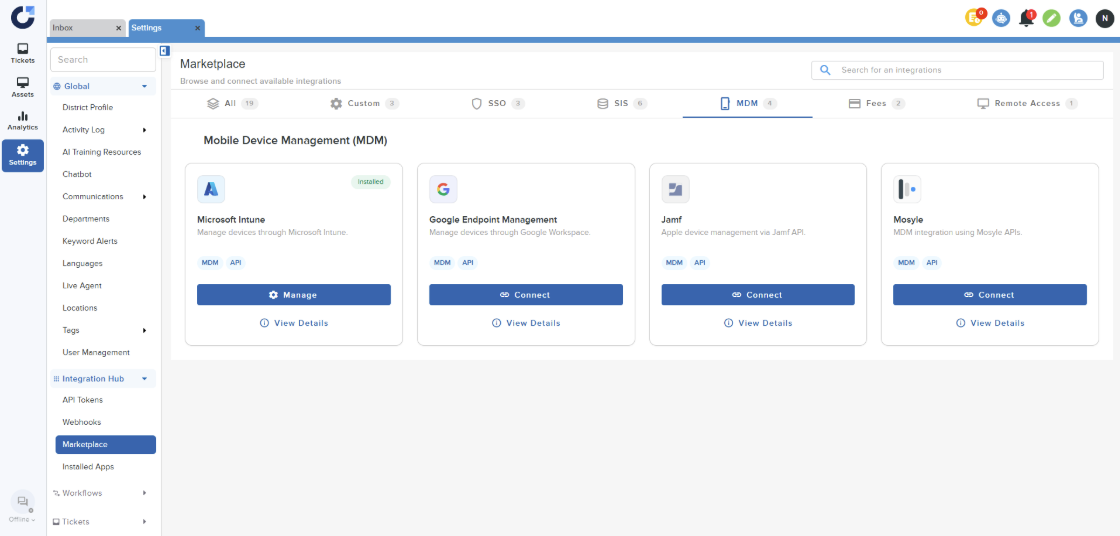
Step 1: Click on Connect on the Mosyle application in the MDM section of the Integration Marketplace.
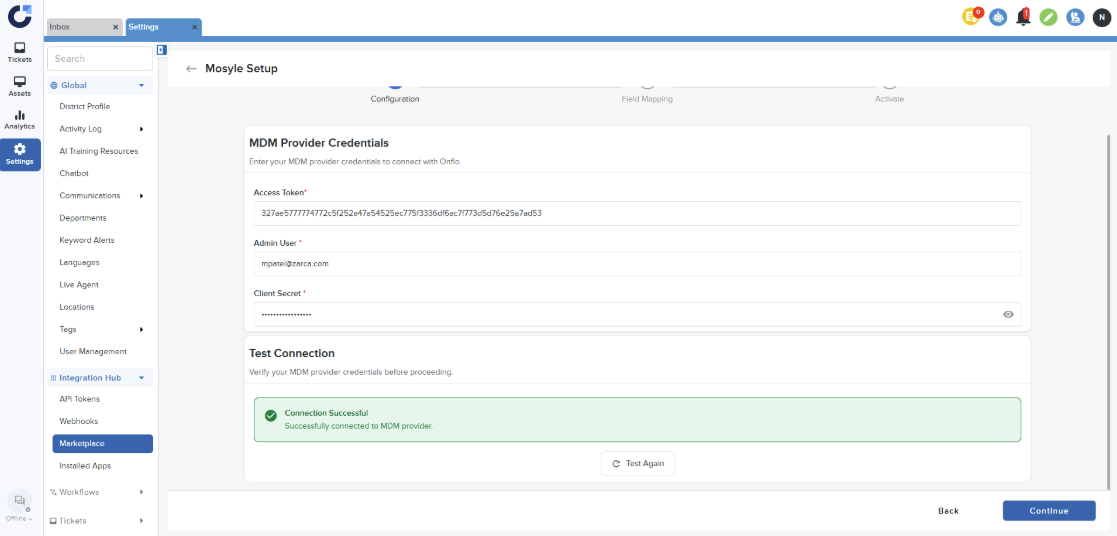
Step 2: Enter the details and Test connection. Once the connection is successful click Continue. For more information on how to generate the credentials, refer to this article.
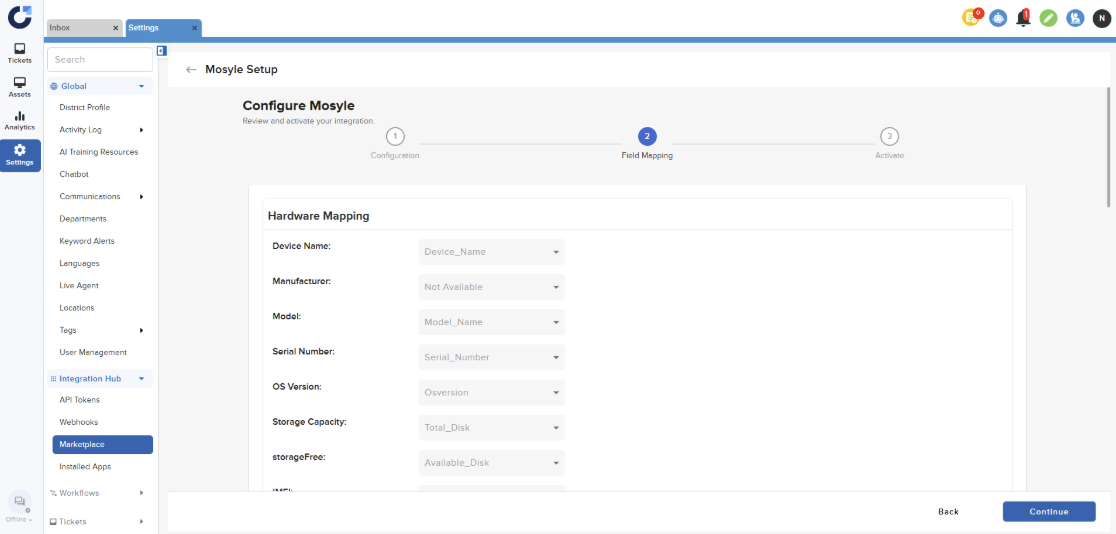
Step 3: Click Continue on the Field Mapping page.
Step 4: Click Finish on the Activate page.
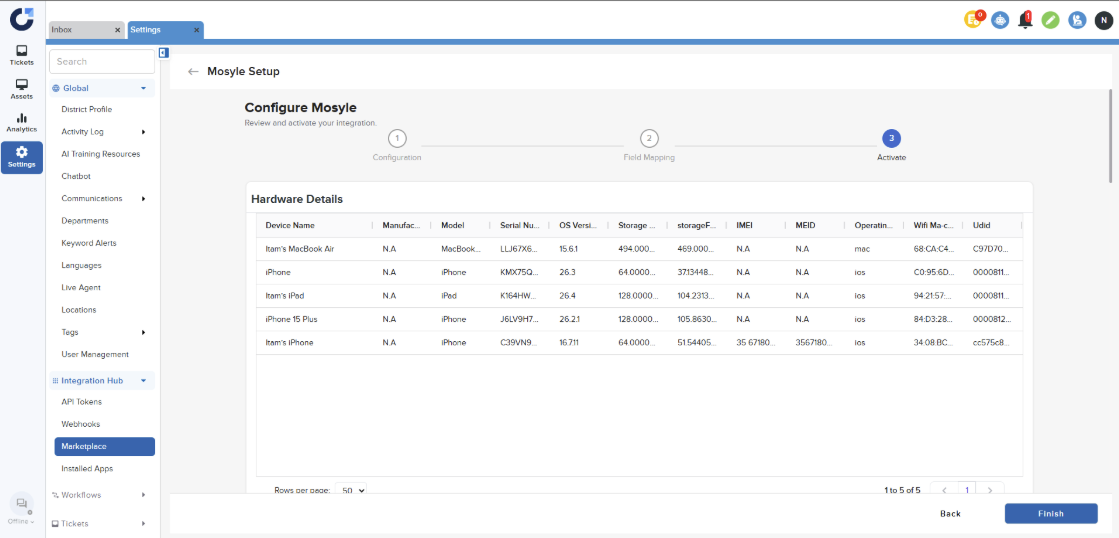
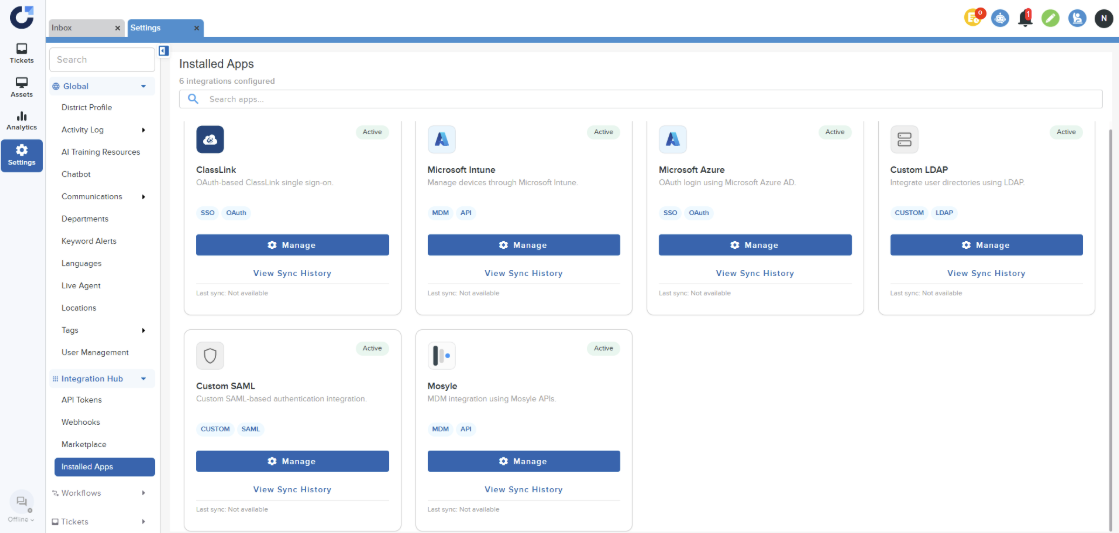
Step 5: Once the app is installed it will be shown in the Installed Apps section.
Related Post

Setting Up a Custom SAML for SSO

Overview Enable Single Sign-On with any SAML 2.0-compliant identity provider. This integration allows your staff and students to securely authenticate to Onflo using existing organizational credentials, reducing password fatigue and improving security posture. Features SAML 2.0 compliant authentication Attribute mapping

Read More ➜

Setting Up a Custom LDAP

Overview Connect to any LDAP-compatible directory service including Microsoft Active Directory, OpenLDAP, or other enterprise directories for user authentication and provisioning. Features LDAP authentication for secure user login Automated directory sync for user provisioning and updates Group membership mapping to

Read More ➜

Setting Up Microsoft Azure for SSO

About this integration Integrate Microsoft Azure Active Directory (Entra ID) to provide secure Single Sign-On and automated directory synchronization. Your district's Microsoft 365 users can access Onflo with their existing credentials while user data remains synchronized automatically. Features Single Sign-On

Read More ➜