
New in Onflo — April 2026

More results...

Generic selectors
Exact matches only
Search in title
Search in content
Post Type Selectors

Smarter chatbots, more powerful workflows, and faster user management.

Applies to Onflo IT Asset Management Chatbot
Assign any role type via bulk import Onflo

The bulk user import tool now supports Custom Roles and IT Asset Roles — not just standard Onflo roles. Onboard and manage users at scale without the manual cleanup.

Turn unanswered questions into FAQs — instantly Chatbot

See a gap in your chatbot's knowledge? A new Create FAQ button in Analytics > Chatbot > Optimization > Unanswered lets you add FAQs to your AI Training Resources in just a few clicks.
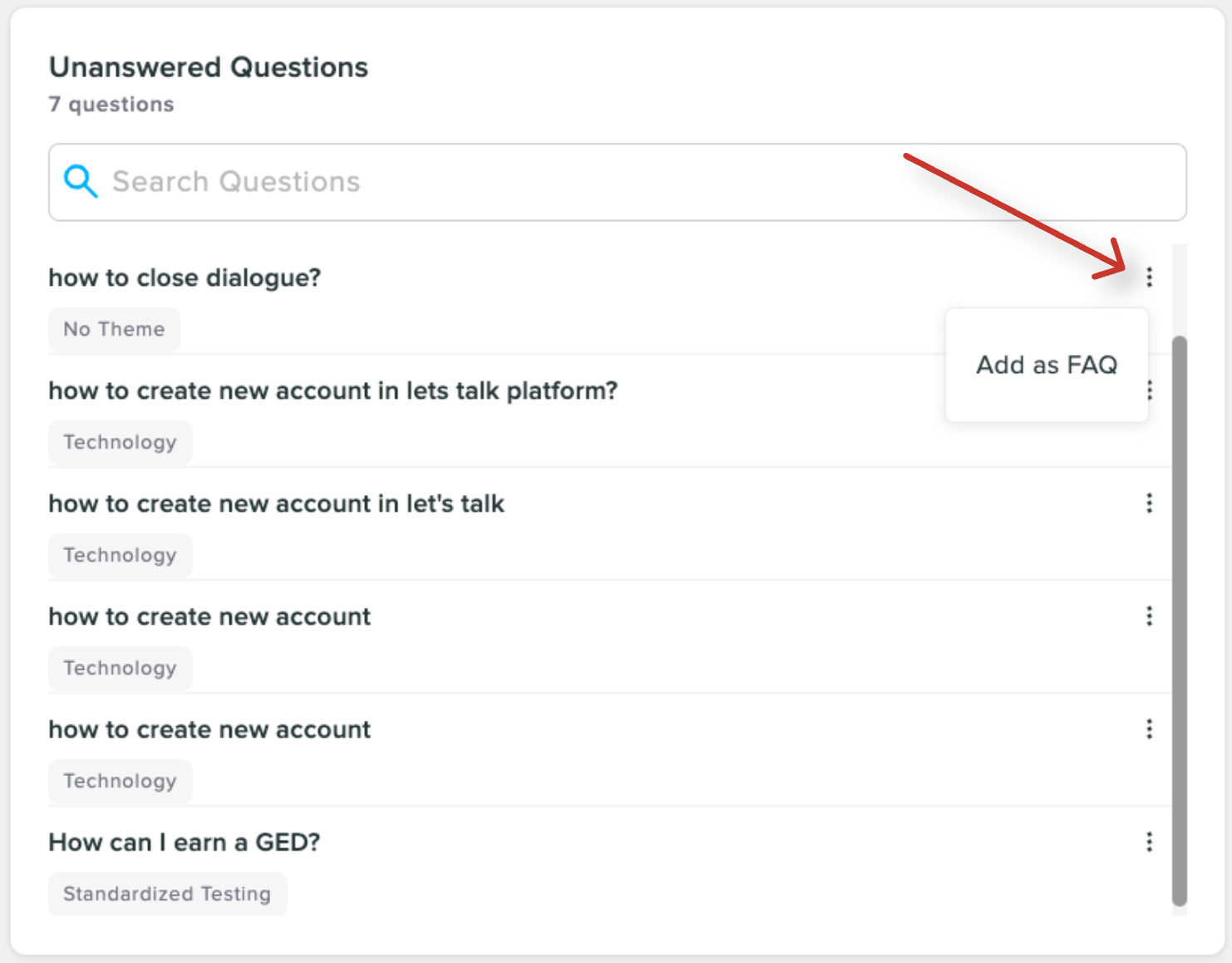
Unanswered questions turned into FAQ
Find AI Training Resources faster Chatbot

New filters in the AI Training Resources means less scrolling and more finding. Admins can now pinpoint content quickly with less digging.
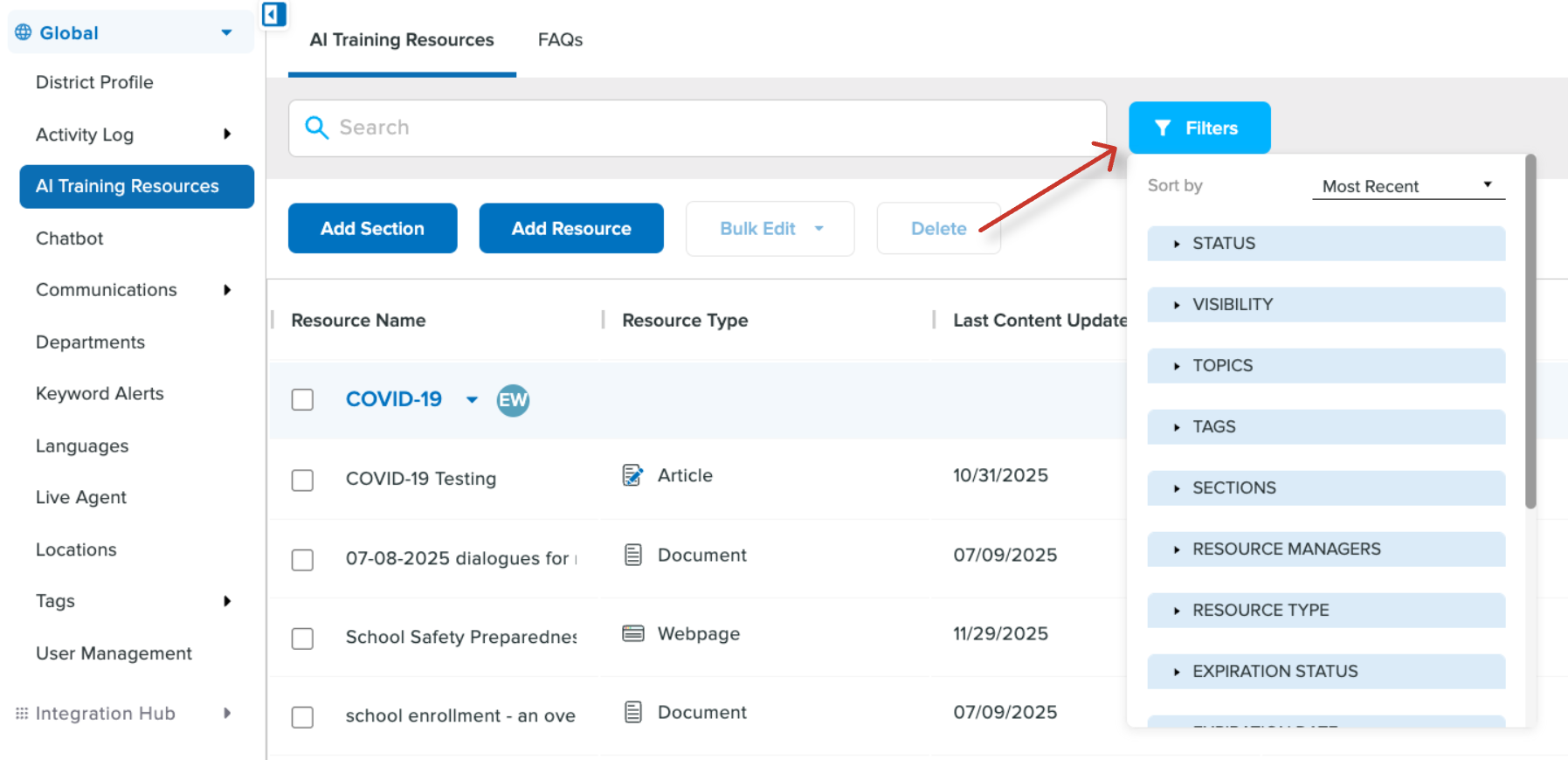
Resource Center filters screenshot
Build smarter workflows with mixed AND/OR logic IT Asset Management

Workflow conditions used to be all-AND or all-OR. Now you can mix both — so your automation rules can finally match the complexity of real-world decisions.
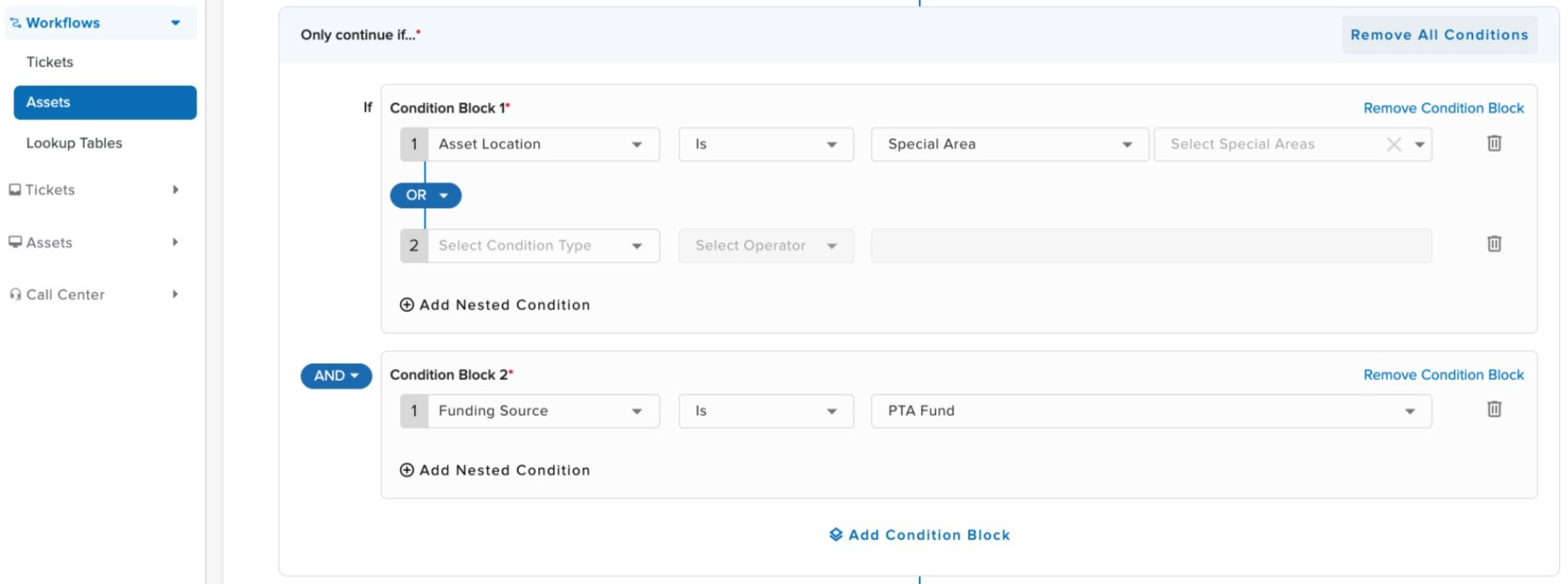
Asset and/or logic
Set up directory sync in minutes IT Asset Management

A new guided Setup Wizard makes it easy to sync users from LDAP, Azure Active Directory, or Google — step by step, no guesswork required.

Related Post

New in Onflo — March 2026

Our March release brings meaningful upgrades to Onflo — from a freshly designed navigation overhaul to proudly launching K12’s first AI phone agent that can handle parent and staff calls around the clock. Below is a summary of what’s changing

Read More ➜

New in Onflo — December 2025 (Part 2)

Workflow Enhancements and New Portal Branding Capabilities for IT Teams The second part of our December release delivers a series of major upgrades across IT Asset Management (ITAM), IT Service Management (ITSM) and Onflo workflows, and the introduction of Customer

Read More ➜

New in Onflo — December 2025 (Part 1)

Faster Setup, Smarter Automation, and More Control for Your Team Our December release delivers several significant efficiency upgrades and UX/UI enhancements. From a redesigned Custom Forms experience to smarter chatbot optimization, faster telephony setup, and new role-based permissions—this update helps

Read More ➜