
New in Onflo — May 2026

More results...

Generic selectors
Exact matches only
Search in title
Search in content
Post Type Selectors

Label management lands in Onflo, plus a fresh look for the customer portal.

Applies to IT Asset Management IT Service Management
Create and manage label templates inside Onflo IT Asset Management

No more switching to standalone label software or handwriting tags. A new Label Templates page under Settings lets IT admins build reusable templates with custom dimensions, Code 128 or QR Code barcodes, and up to six data lines pulled from asset or user record fields — including custom fields via lookup table integration.

Label Templates settings page
Print labels directly from asset and user records IT Asset Management

Agents can print a single label or bulk-print right from asset and user records. Onflo auto-detects a connected DYMO LabelWriter and sends the job straight through. No DYMO? A print preview opens so agents can use any available printer — printing is never blocked.
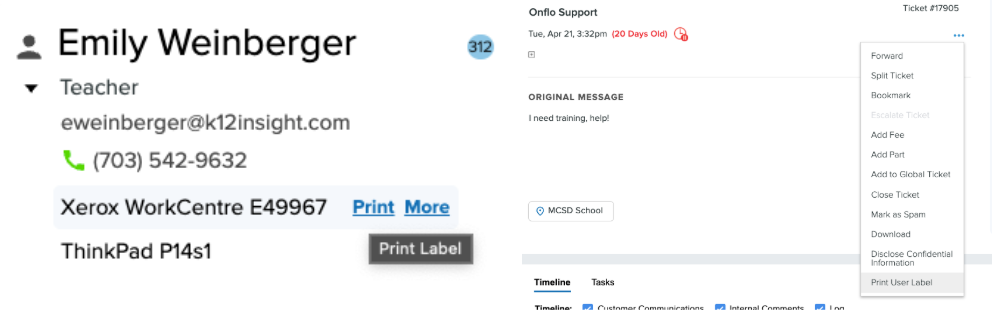
Print Label from asset record
Customer Portal 3.0 — a refreshed look IT Service Management

The customer-facing portal now matches Onflo's modern look and feel. Updated typography, colors, spacing, and component styling throughout — with every workflow, form, and navigation path unchanged.
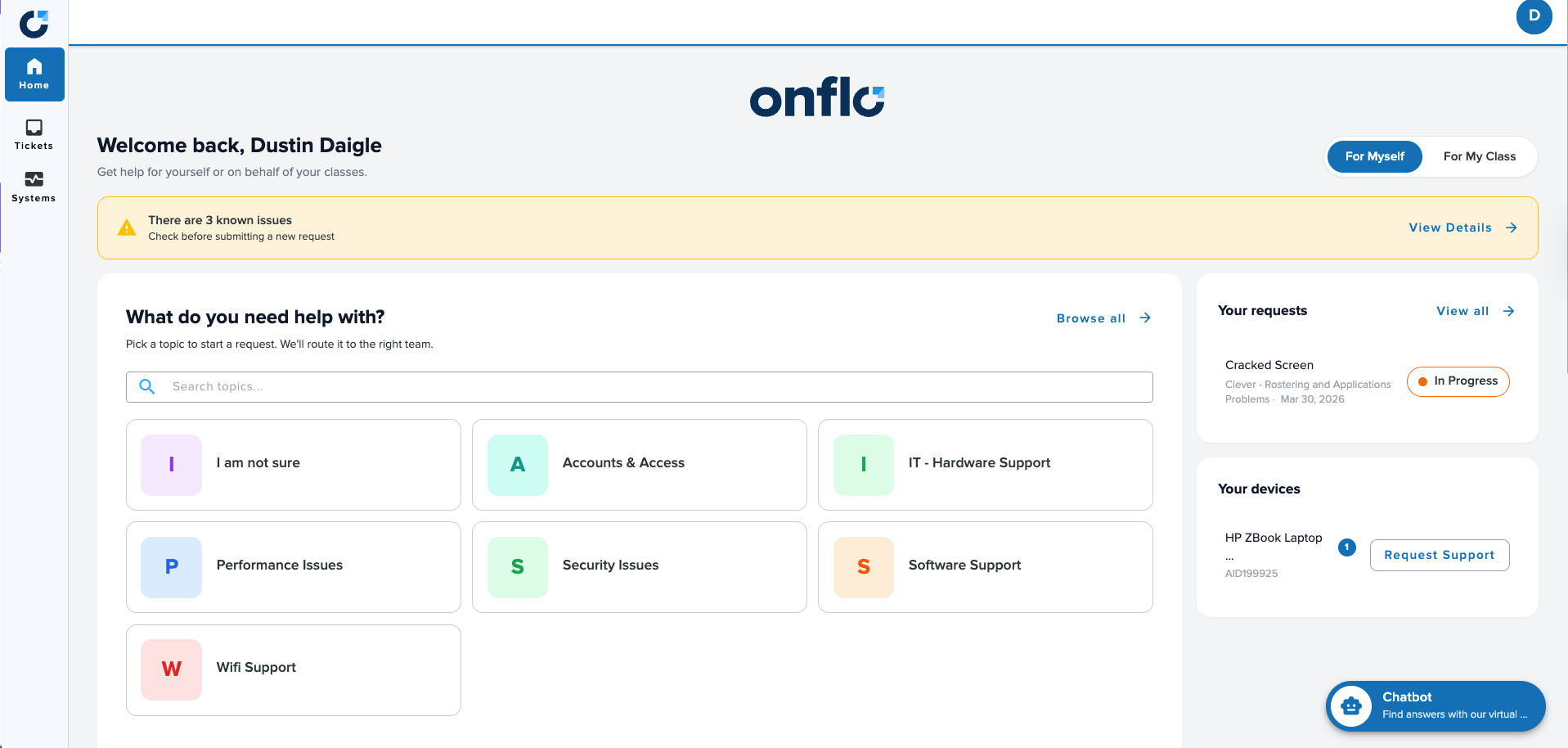
Customer Portal 3.0 home screen

Related Post

New in Onflo — June 2026

Onflo — June 2026 Release Notes Onflo Product Updates This release brings a freshly redesigned inbox and ticket page, branded login experiences for your district, an AI voice assistant for queue and after-hours calls, and a smarter chatbot that knows

Read More ➜

New in Onflo — April 2026

Smarter chatbots, more powerful workflows, and faster user management. Applies to Onflo IT Asset Management Chatbot Assign any role type via bulk import Onflo The bulk user import tool now supports Custom Roles and IT Asset Roles — not just

Read More ➜