
Our March release brings meaningful upgrades to Onflo — from a freshly designed navigation overhaul to proudly launching K12’s first AI phone agent that can handle parent and staff calls around the clock.
Below is a summary of what’s changing and whether any action is needed from you.
1. New Information Architecture — Redesigned Navigation
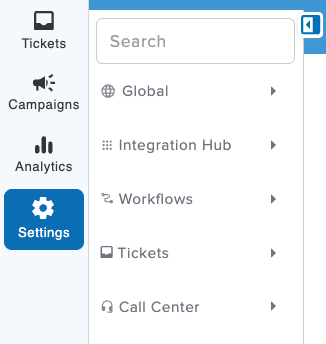
You are going to love the new Onflo experience! We have overhauled the navigation and groupings of our modules and features to deliver a more unified and intuitive experience. The new user interface has a lot of visual icons for quick navigation and less cognitive load. And, we also added a search bar in the ‘Settings’ that lets you get to your preferred action item faster.
What this means for your team
Day-to-day users will notice visible but minimal operational change — the experience inside each module stays the same.
Administrators who configure settings may need a few minutes or re-orientation to find familiar options in their new location.
Our support team is happy to walk anyone through the new layout. If you have any questions, reach out to your Onflo point of contact anytime.
What you need to do
No significant or operational action. Just a little orientation or simply reaching out to our support team for any assistance.
2. Introducing Onflo AI Phone Agent — Now in Pilot
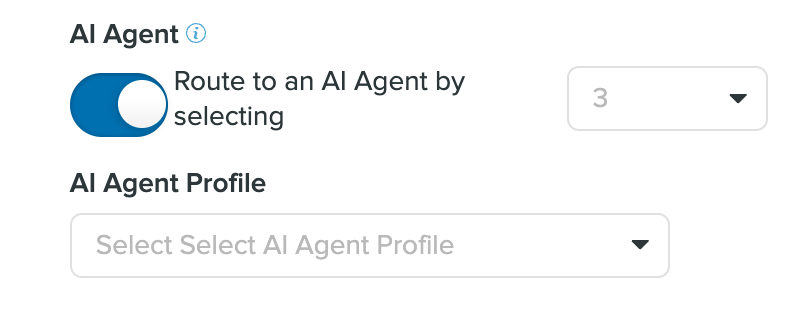
Once enabled in your contact center, parents, teachers, and staff can now call your district’s support line 24/7 and be assisted by an AI agent trained on your own knowledge base — the same one powering your chatbot, but in a friendly conversational voice . When a question goes beyond what the AI Phone Agent can handle, it escalates smoothly to a human agent during business hours.
What it can do today
Answer common questions about devices, tickets, policies, and procedures — around the clock.
Reduce inbound call volume and free up your support staff for complex issues.
Transfer calls to an available live agent when needed.
What you need to do
This feature requires inclusion in pilot and onboarding to activate. If interested to try this out, reach out to your Account Manager to get started.
3. Integrations Marketplace — Empowering Self-Serve Integrations
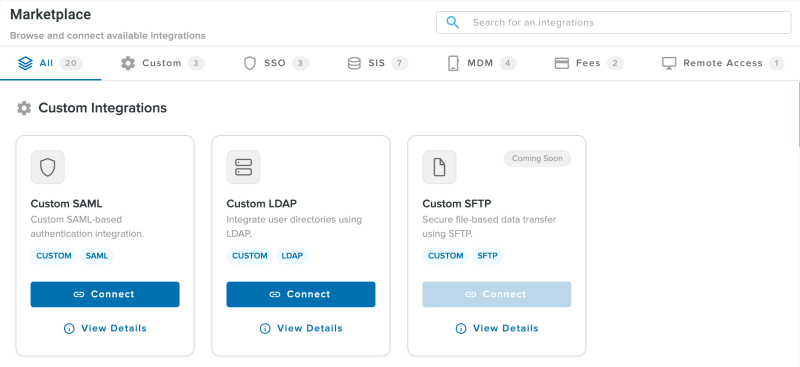
Onflo now supports a full range of integrations that your team can configure in a self-serve manner, without waiting on our backend team. You can find these integrations beyond SIS under Settings → Marketplace for Apps.
New Available integrations include:
SSO — Secure single sign-on for streamlined access.
MDM — Device management system connectivity.
Payment and repair systems — via direct API or secure file transfer.
What you need to do
Your IT administrator can configure integrations directly in the Marketplace. However, we do recommend doing your first integration alongside our implementations team and we will be happy to help.
4. Fees & Fine Management
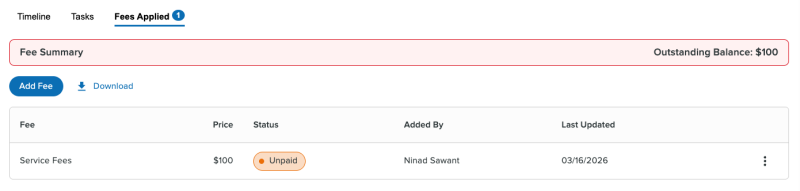
Yes! Districts can now assess, track, and manage device-related fees and fines entirely within the Onflo ticketing and assets module — no switching between platforms. This includes repair charges, damage fees, replacement costs, and the ability to waive fees where your policy allows.
What more can you do?
Build and manage a centralized Fee Catalog based on your district’s policy.
Track fee status directly within tickets and asset records.
Generate reports on fee activity across your district.
What you need to do
Your payment system integration must first be configured via the Integrations Marketplace before this feature can be used. Before setting up the Fee Catalog, confirm your district’s fee policy.
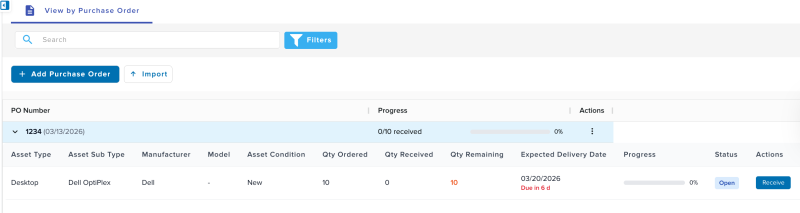
5. Purchase Orders — Device Lifecycle Tracking
It keeps getting better! IT teams can now track devices from the moment a purchase order is placed through delivery, deployment, and eventual retirement — all within Onflo. Devices accepted on arrival are immediately available in the asset catalog.
What you need to do
Reach out to your Onflo implementation point of contact for a quick demonstration of the feature before you enable it.
6. Other Key Improvements
Smart Alert Escalation: Onflo’s critical alert system is now AI-powered. It automatically detects and escalates urgent issues using semantic understanding — no need to maintain a keyword list. No action needed; this runs in the background automatically.
Self-Service Answer Suggestions: When staff or community members submit a request through the portal, Onflo now suggests relevant answers before they complete their submission — helping them self-resolve common questions and reducing ticket volume.
API Developer Console: If your district works with developers or third-party vendors who integrate with Onflo, direct them to the new API Developer Console for documentation and testing tools.
Creating and Mapping email with Topics from Front end for email dialogues - Admin will now be able to create their own email addresses that will forward directly into Onflo. No auto-forwarding setup required!
Questions about this release? Reach out to your Account Manager or contact our support team through Onflo.