
Let's Talk! v9.0 went live on Friday, July 7, 2017
New Features:
- Phone to Ticket
- This feature will equip districts/schools with a means to have a track record of their phone calls and interactions with their customers.
- Districts and schools would be able to capture phone calls and automatically create a Ticket regarding these phone calls.
- Admin user can request for a phone number under Settings.
- Under Settings, the System Admin can customize:
- Phone team (members who can receive phone calls)
- Enable/Disable call recording
- Upload incoming call greeting and voicemail greeting message
- Phone calls coming in will be displayed as a pop-up on the screen including the caller’s number to all the Phone team members. Users will have the opportunity to decline or accept the phone call.
- Once the phone call is received by any of the members it is automatically created as Ticket.
- Any phone call that goes into Voice mail will also be converted into Ticket and recording will be available as an attachment in the Ticket.
- Ability for Interest Area Owners to manage users on their Interest Areas
- Interest area owner will now have access to manage Team Members of their Interest Areas.
- Interest Areas Owners now have access to Users, under Settings.
- Managing team members includes adding, deleting and updating information about team members with a Permission level change of Team member to Recorder.
- Interest Area Owner can now download Tickets
- Ticket details page
- Advance Search
- Saved Search
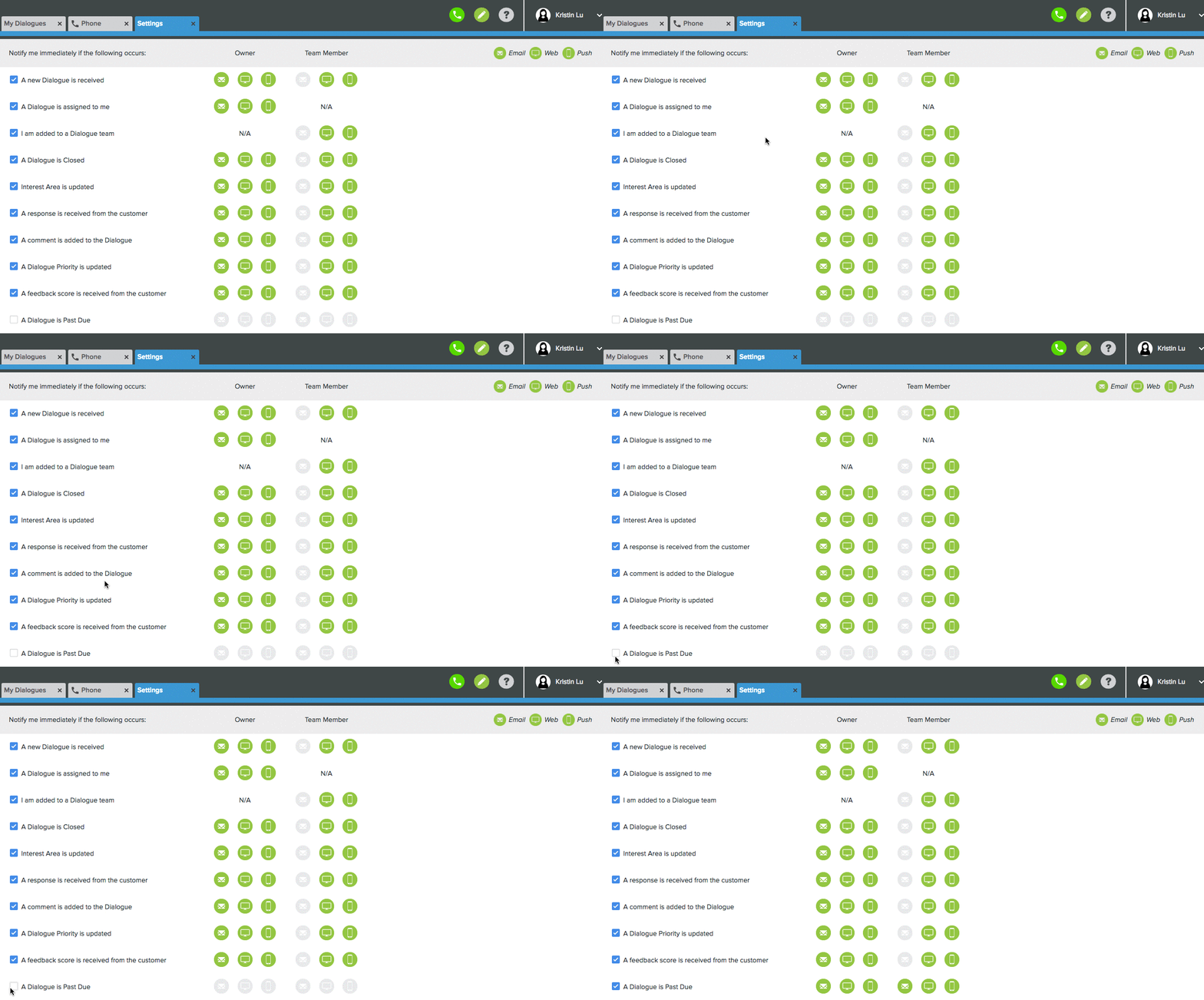
- Notification for Past Due Tickets
- Let’s Talk! Users will now be notified once the ticket becomes past due in notification methods specified by Users.
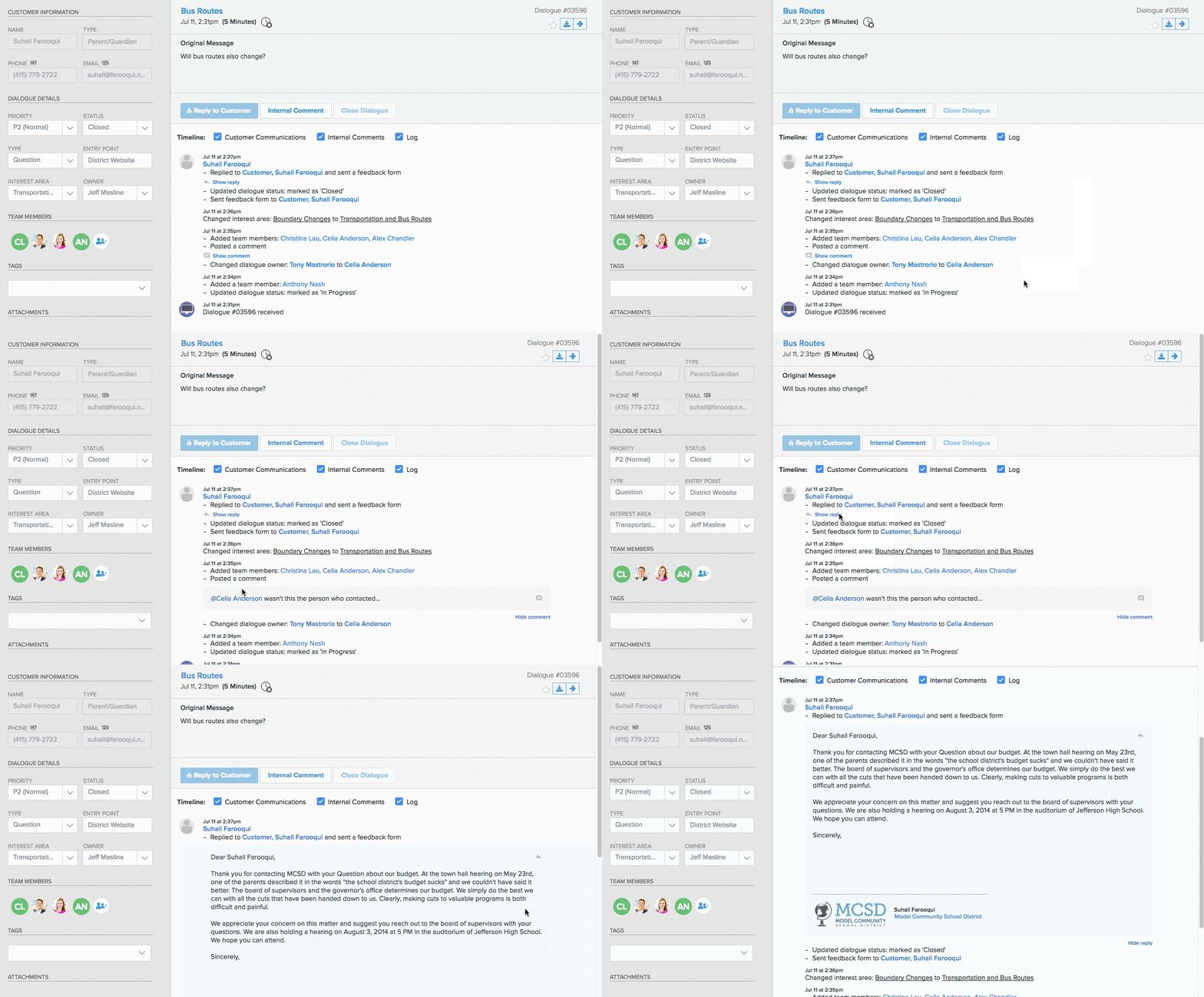
- Ticket Timeline UI update
- Brand new user interface for Ticket timeline.
- Activities performed by the same user will be merged together.
- Other option available when showing/hiding of email replies and comments from the timeline
- Email Notification for re-opened Tickets
- Any closed ticket that is re-opened again due to any activity will trigger a notification.
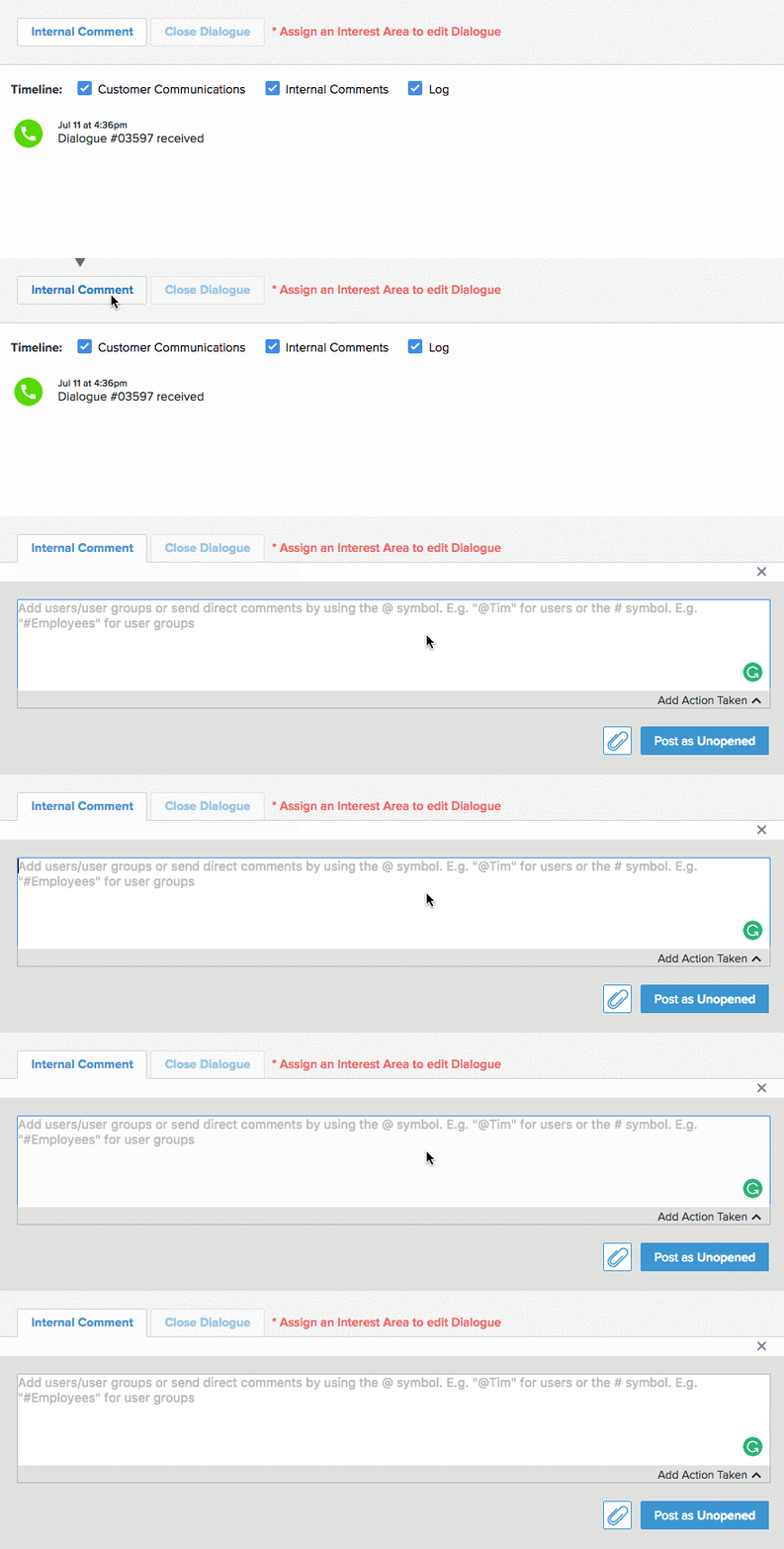
- Ability to tag/mention user groups in comment
- Similar to mentioning and tagging user in comments, Let's Talk! Users can now tag User Groups under comment for any ticket.
- Notification email will be sent to all the users who are part of the tagged User Group.
- UI update for all emails sent out from LT platform
- Brand new user interface for emails that are sent out from the Let's Talk! Platform.

- Ticket Status to Recorded Tickets
- Recorders can now assign statuses to recorded tickets as:
- Unopened
- In progress
- Pending Details
- Closed
- Recorders can now assign statuses to recorded tickets as:
- Forwarding attachments with Tickets
- Users can forward attachments present in a ticket when using the Forward Ticket feature.
- All the attachments will be sent as a zip file with an active link to download for 30 days
Smaller changes in Let's Talk!
- Ability to opt-out of a feedback form when closing tickets in bulk.
- News feature can be accessed at all user levels.
- Landing Page links accessible by Topic Owners and Team Members.
- Users can now export/download Interest areas.
- Identify tour mode status in an excel download of all Users.
- When filtered for "All" on Insights, the start date will be the date of the first ticket received.