
Welcome to Onflo (formerly Let's Talk)!
Onflo offers a complete walkthrough of the system the first time you log in. Users can enable the walkthrough at any time by clicking Launch Tour Mode on the District Profile page under Settings.
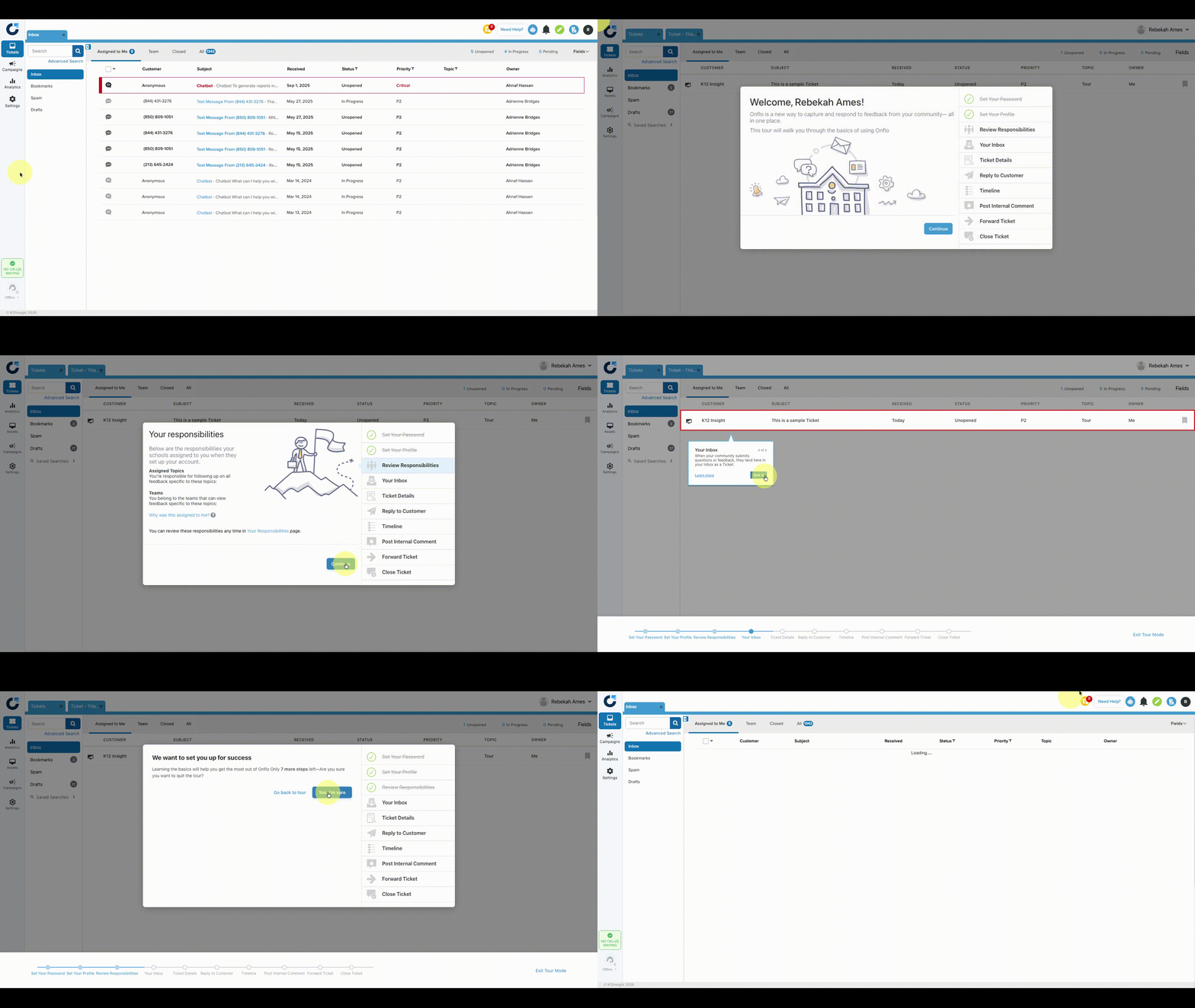
Tour Mode guides users through their role in Onflo by walking through the following
- Review Responsibilities
- Get a view of assigned topics and teams.
- Your inbox
- Get familiarize with inboxes and their organization.
- Ticket Details
- Understand what pieces of information are contained in tickets.
- Reply to Customer
- Learn how to reply to a customer within the Onflo platform.
- Timeline
- See the timeline of events for each ticket--from when it's received to when it's responded to and closed.
- Post Internal Comment
- Learn how to send comments within the tickets to other team members and address the question, concerns, or feedback together.
- Forward Ticket
- Learn how to share or pass on a ticket to people who are not Onflo users.
- Close Ticket
- Learn how to successfully close a ticket once its been responded to.
Every Onflo user plays an important role with the school district. The Tour Mode walkthrough is designed to help users become familiar with the Onflo platform. Keep track of your progress on the side, and at any point you can Exit Tour or Dismiss all tips to stop the on screen guidance.
A Note for System Administrators
When new users are added to Onflo and sent activation emails, they will be directed to the Tour Mode walkthrough upon their first login.
To encourage all users to be ready when Onflo goes live, a few automatic reminders are built in, too.
- If a user has not logged in to his or her account seven days after receiving an activation email, Onflo will send an automatic reminder.
- If a user begins the Tour Mode but does not complete the walkthrough within two days, Onflo will send an automatic reminder.